Dostoevsky

Keep every version
of the sentence.

A writing app for macOS with two modes. Write on a quiet page. Then switch to editing, and every word you weren't sure about has its other versions waiting, one ↓ away.

Free and open source · macOS 13 or later · Apple silicon and Intel

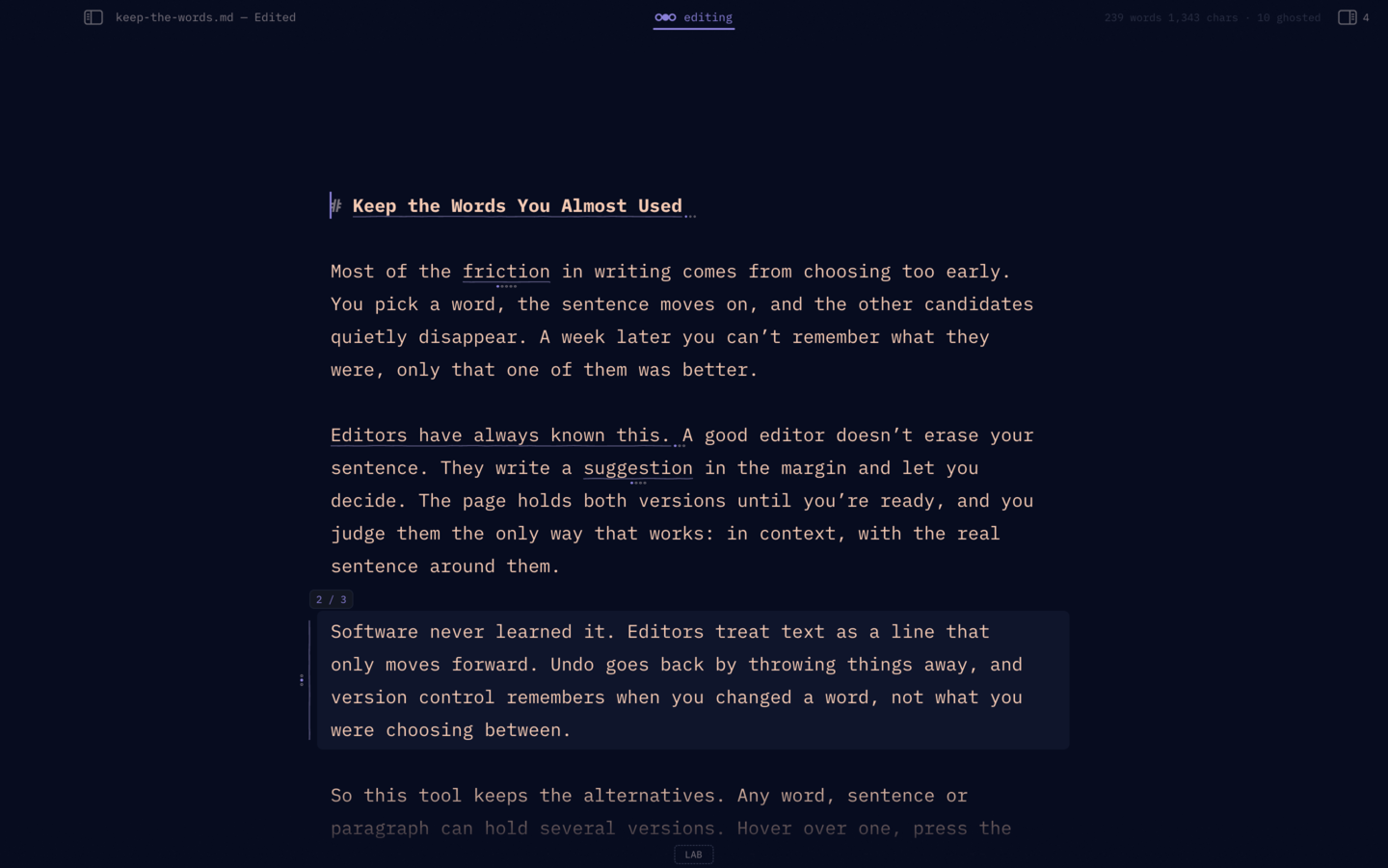
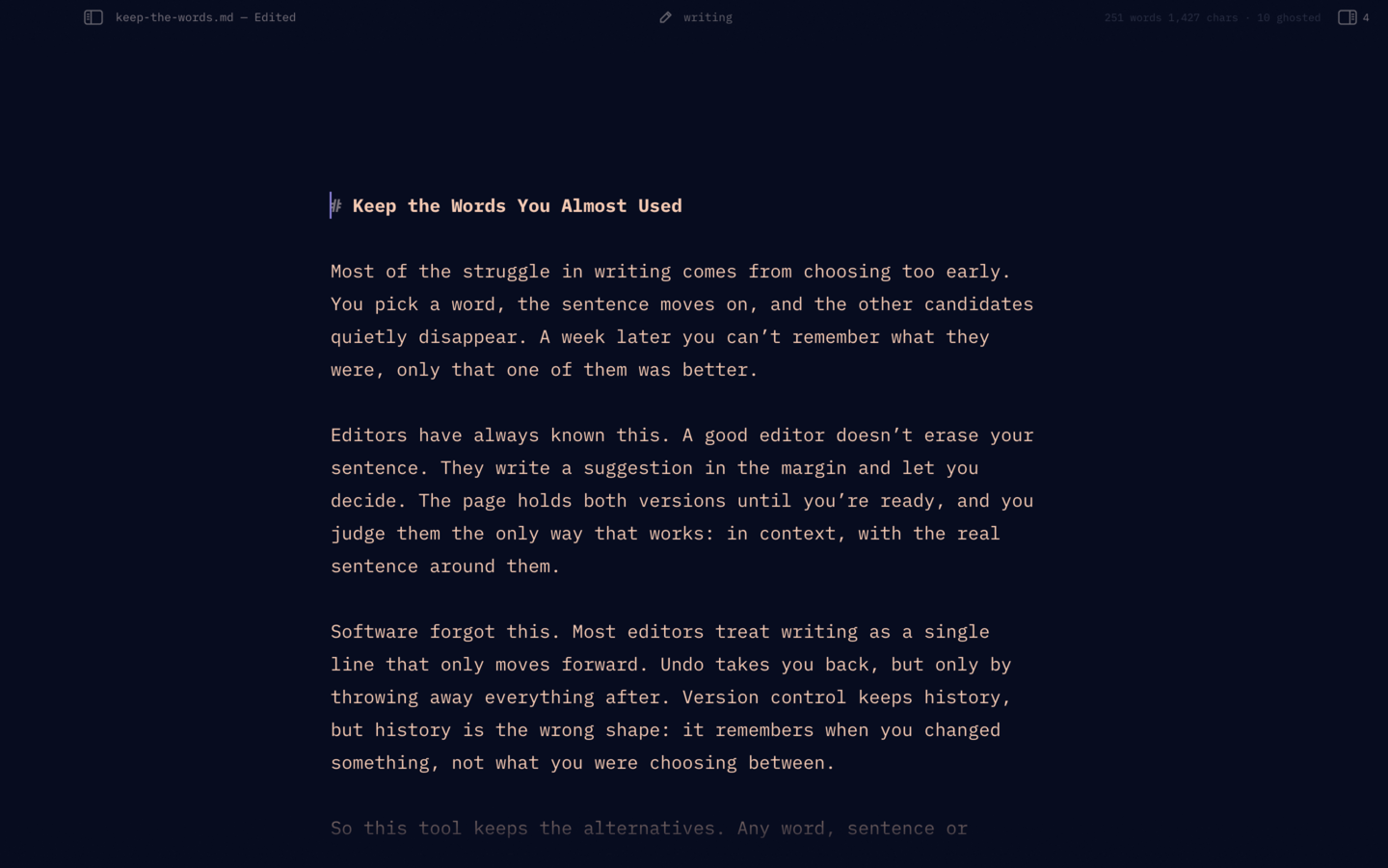
Writing mode: the same page as plain text, no underlines or dots, the header reading “writing”
Writing: just the page. No underlines, no dots, and the arrow keys only move the caret.
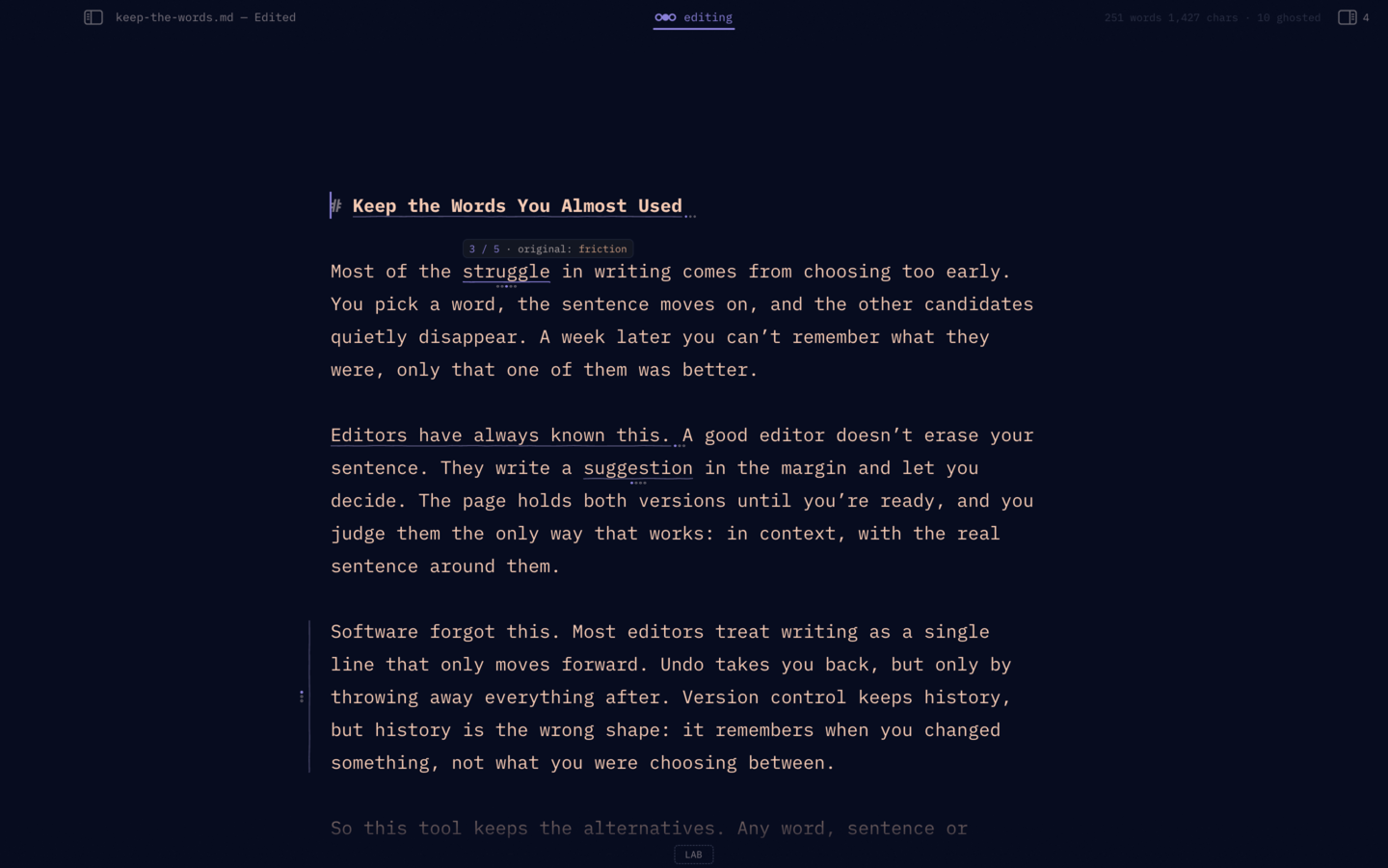
Editing mode: underlined word groups with dots under them, and a label above “struggle” that reads 3 / 5 · original: friction
Editing: every group underlined, one dot per version. Hover a word and press ↓.

Same page, same text. Switch with ⌘⇧L or the pen in the header.

writing mode

Just you and the page.

The underlines and dots go away, and the header fades while you type. Your alternatives are still there, out of sight, until you switch back.

Turn on Zen writing and the rest of the draft steps back too: every paragraph but the one you're in is dimmed.
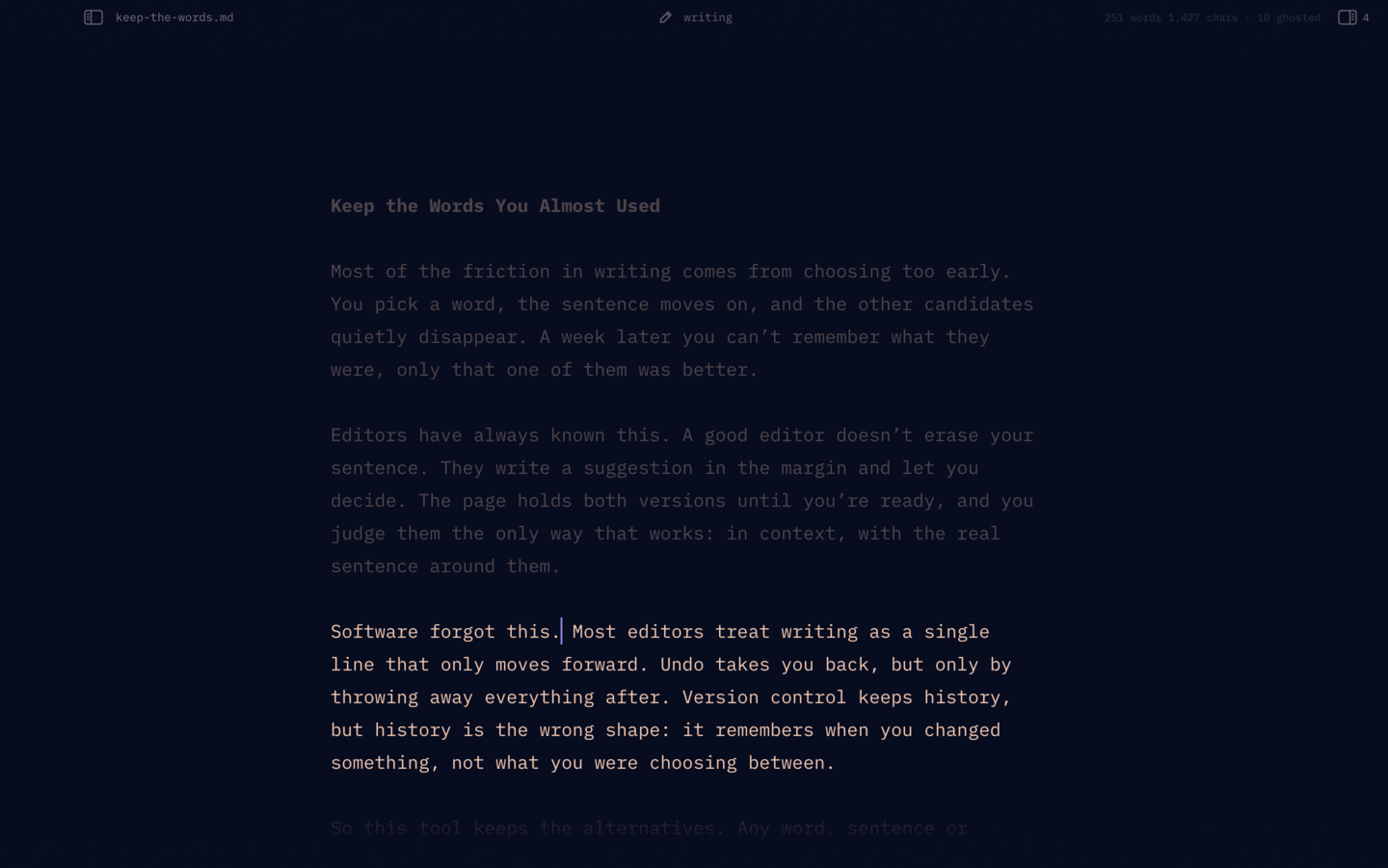
Zen writing: one paragraph in full colour, the rest of the page dimmed

Zen writing ⌘⇧F

Every paragraph but the current one dims, so the rest of the draft stops talking to you.

Typewriter scrolling ⌃⌘T

Your line stays in the middle of the window. The page moves; your eyes don't.

A header that fades

Start typing and the title, counts and buttons fade away. Move the pointer and they're back.

Full screen ⌃⌘F

The page and nothing else, in native macOS full screen.

Your typeface

IBM Plex Mono, JetBrains Mono or iA Writer Quattro, five column widths, three line spacings.

Light, dark, or glass

A paper theme, a dark one, or Match macOS. Let the blurred desktop show through.

editing mode

Every version, in place.

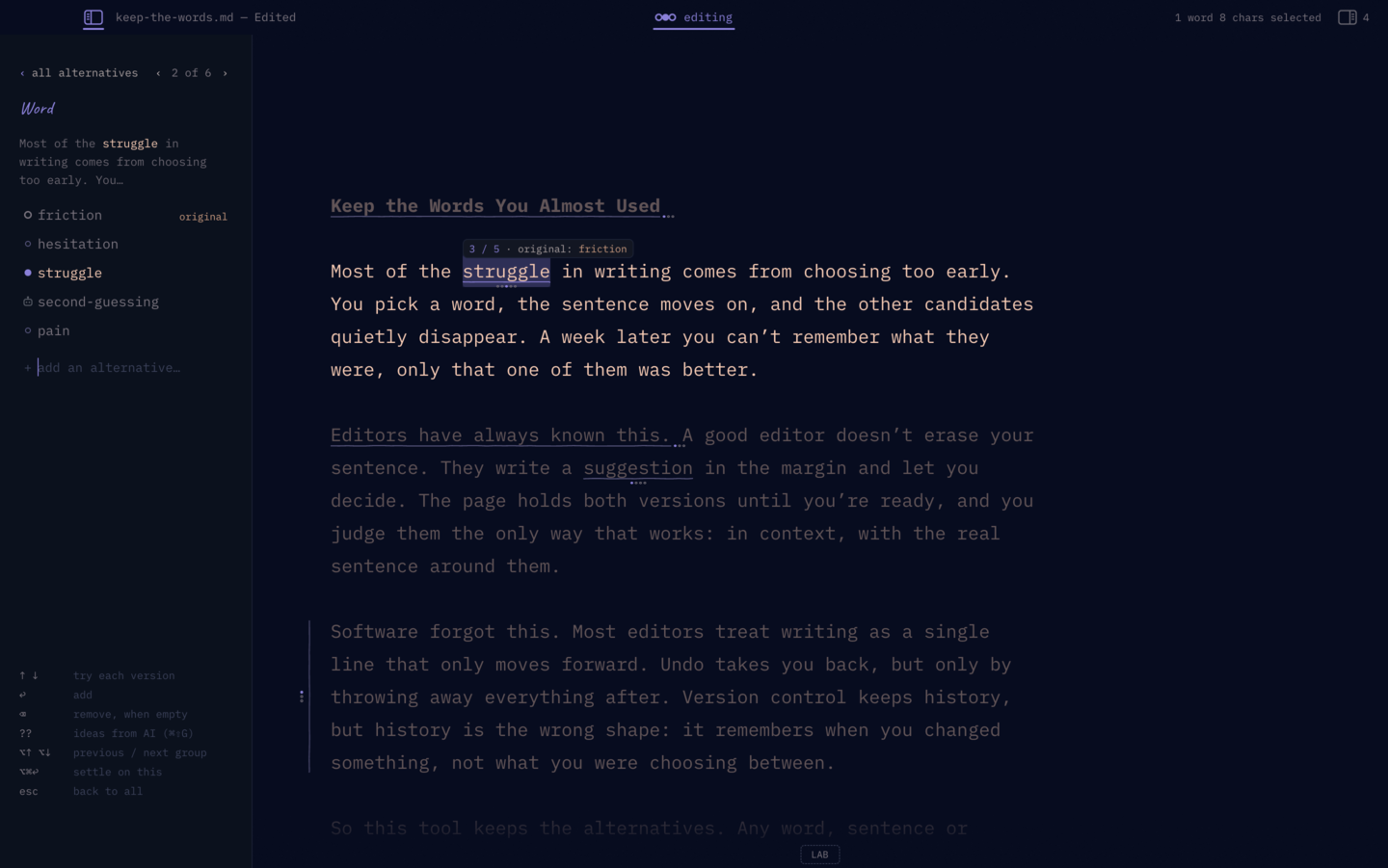
Select a phrase and press ⌘⇧A. What you selected becomes the original, and you add versions under it. Not version control: alternative control.

  • A wavy, pen-like underline marks each group, one dot per version.
  • Each step plays a soft tone. Landing back on the original plays a lower one.
  • a and an fix themselves when the next word changes.
  • ⌥⌘↩ settles on the version showing. That can be undone too.
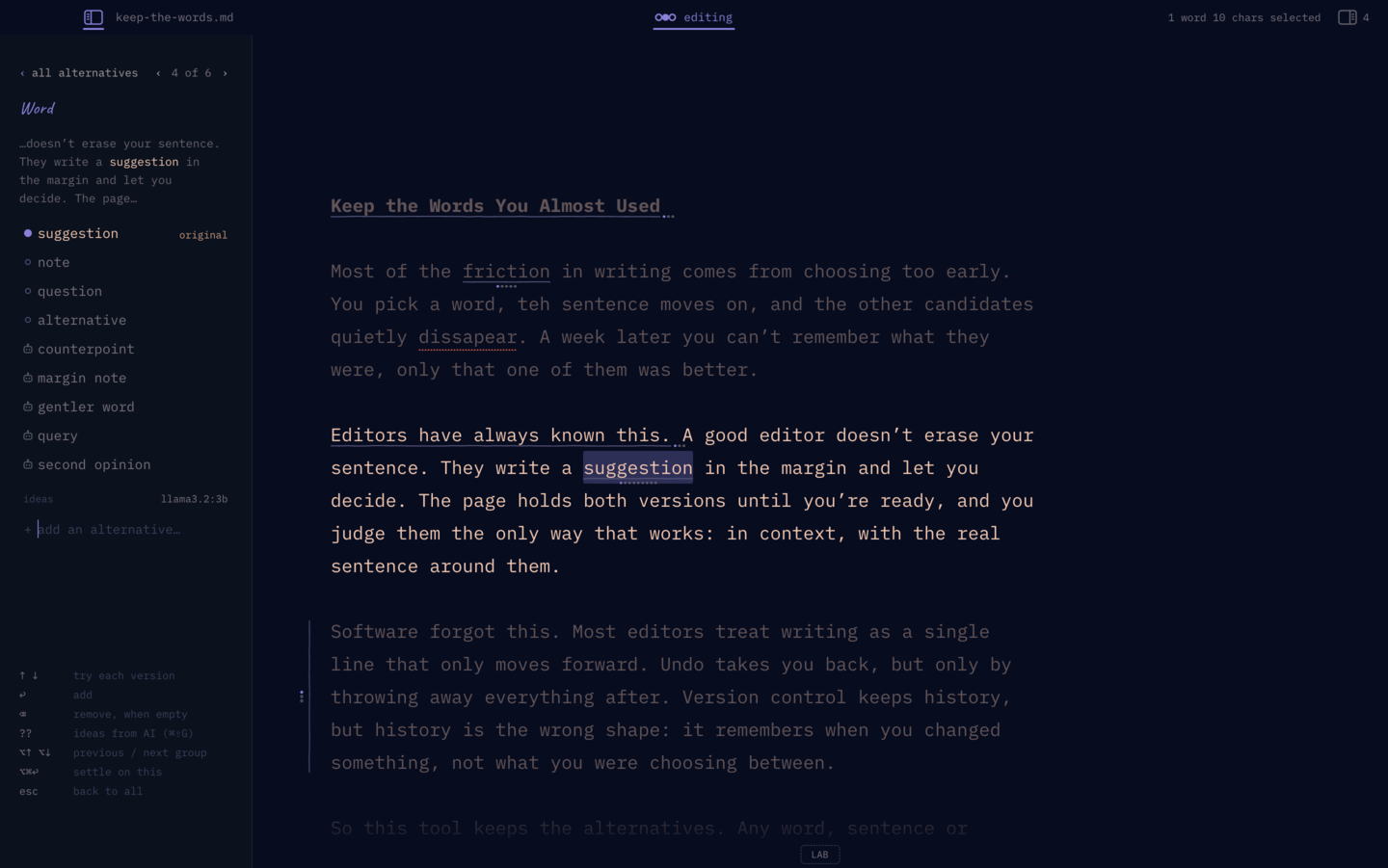
The alternatives panel on the word “struggle”: friction, hesitation, struggle, second-guessing, pain

Paragraphs too.

Paragraph groups get a rule in the margin. The version you're previewing is washed so it stands out from the page, and Esc lists every group in the file under its headings.

A paragraph group showing its second version, with a rule in the left margin

Ghost it. Stash it. In either mode.

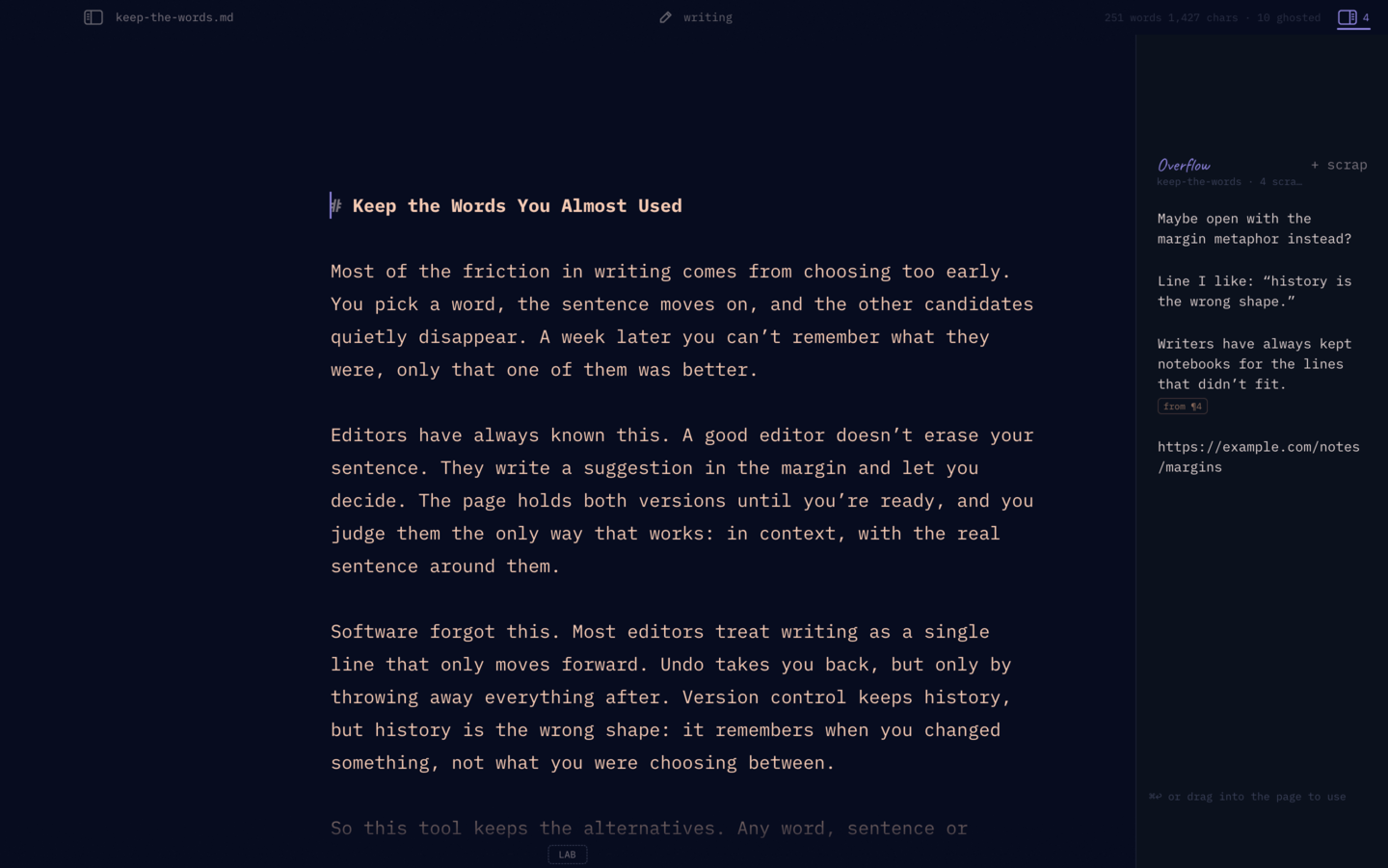
⌘/ fades a sentence to 12%. It stays on the page and out of the word count. ⌘⇧X moves a selection to the Overflow drawer, where you can drag it back when it finds its place.

The Overflow drawer with four scraps, one linked to paragraph 4

AI that suggests and marks. It never writes for you.

AI is off until you set it up, and it only runs when you ask.

  • Ideas (⌘⇧G): five versions that fit the sentence, marked so you can tell them from yours.
  • The Lab: marks long, weak or convoluted sentences, hedges and filler.
  • Typos become word groups: the typo stays as the original, one ↑ away.
  • Trims fade the words that could go. Cuts are ghosts, so they're still there.

Bring your own: OpenRouter in one click, an OpenAI key, or a model on your own Mac through Ollama or LM Studio. Keys stay in the macOS Keychain.

Five AI ideas for “suggestion”, marked with a robot glyph, below the writer's own versions

Books, journals, folders.

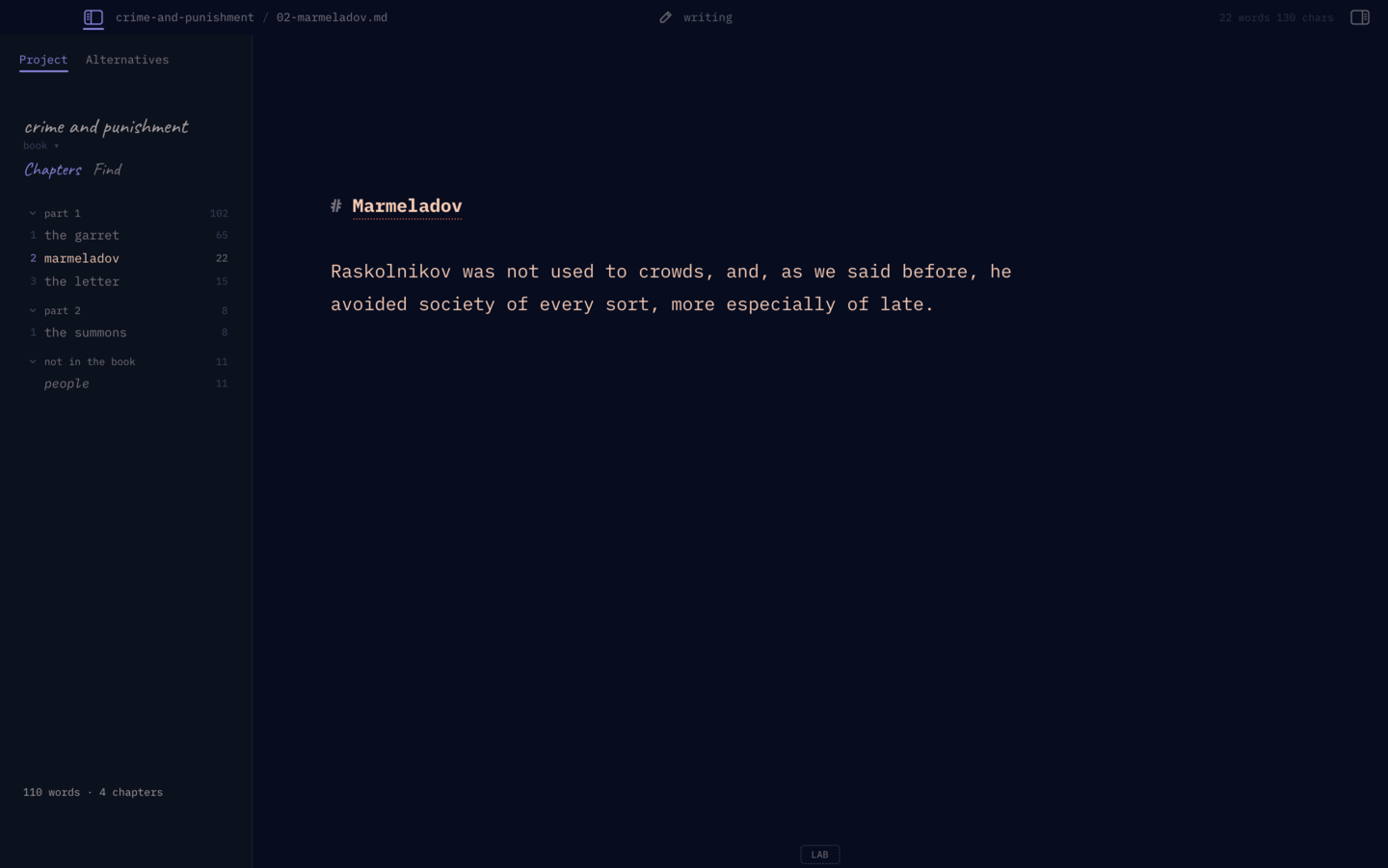
Open a folder and it becomes a project. Order lives in the file names, so the folder still makes sense in Finder, git or Obsidian. Find searches every file, hidden versions included.

A book project: two parts, chapters with word counts

One Markdown file. Yours.

The page is plain Markdown. Versions, ghosts and the Overflow drawer go in HTML comments at the end of the file, so any other editor shows clean text, and a file without them stays pure Markdown. ⌘⇧C copies the finished text, ready to paste.

Saves are atomic, the last 20 versions are kept as backups, and unsaved work survives a crash. The format is documented.

Free, and open source.

Dostoevsky is Apache-2.0 licensed and written in Rust on GPUI. Read the code, file a bug, or send a patch on GitHub.

The core ideas come from Write_On, the writing tool Jason Fried showed in September 2026: alternatives you flip through in place, ghosting instead of deleting, the overflow drawer, and AI that marks and suggests but never writes for you.